







 VMware
 AutoDesk
 Adobe
Adobe MacOS
MacOS
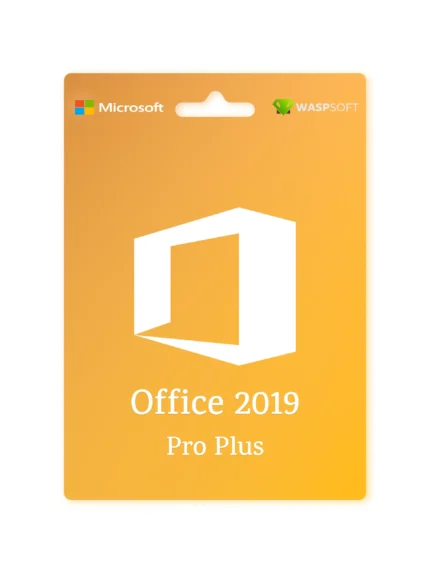
Microsoft Office Professional Plus 2019
🖥️ Overview
Microsoft Office 2019 Professional Plus 2019 is a full-featured, on-premises version of Microsoft Office designed for businesses, enterprises, and professional users who require the complete suite of productivity and collaboration tools. It delivers the classic Office experience with enhanced performance, modern productivity features, and enterprise-grade security — all without a subscription.
⚙️ Included Applications
-
Microsoft Word 2019 – Create polished documents with advanced editing, design, and collaboration tools.
-
Microsoft Excel 2019 – Perform powerful data analysis using new formulas, charts, and Power Query tools.
-
Microsoft PowerPoint 2019 – Design visually striking presentations with enhanced animations, Morph and Zoom transitions.
-
Microsoft Outlook 2019 – Manage email, calendars, contacts, and tasks efficiently.
-
Microsoft Access 2019 – Build and manage databases to store, track, and report data.
-
Microsoft Publisher 2019 – Create professional-quality marketing materials, publications, and layouts.
-
Microsoft OneNote – (Available separately via Microsoft Store or Office 365, as the desktop version is no longer bundled).
-
Skype for Business 2019 – For enterprise messaging, calls, and video conferencing (depending on deployment).
🔑 Key Features
-
One-time purchase: Perpetual license — no ongoing subscription or renewal fees.
-
Modern productivity tools:
-
Excel 2019: New charts (Funnel, Map), new functions (TEXTJOIN, IFS), and enhanced Power Pivot & Power Query integration.
-
PowerPoint 2019: Introduces Morph transitions and enhanced Zoom features for cinematic presentations.
-
Outlook 2019: Focused Inbox and updated contact cards for better organization.
-
-
Enhanced inking and accessibility: Improved pen and touch features, pressure sensitivity, and roaming pencil case.
-
Enterprise-grade security: Includes data loss prevention (DLP), Information Rights Management (IRM), and volume activation options.
-
Cloud integration: Works seamlessly with OneDrive and SharePoint for file storage and collaboration.
-
Offline functionality: All core features are available offline after activation.
💡 System Requirements
-
Operating System: Windows 10 or later (not supported on Windows 7 or 8.1)
-
Processor: 1.6 GHz or faster, dual-core processor
-
Memory: 4 GB RAM (64-bit) / 2 GB RAM (32-bit)
-
Storage: 4 GB of available disk space
-
Display: 1280 × 768 resolution
-
.NET Version: 3.5 or 4.6 and later


Reviews
Clear filtersThere are no reviews yet.